Clarity lowers friction
When the next useful action is obvious, starting takes less energy.
ThesisTrack brings your plan, writing, research, advisor feedback, and deadlines into one private workspace—so you can spend less energy managing the work and more energy doing it.
Offline-firstYour work stays available
Private by designNo account or tracking
PortableExport whenever you need
AccessibleBuilt for how you work
Sources live in one place. Drafts in another. Feedback sits in email. Deadlines stay in your head. The real challenge is not simply writing—it is keeping hundreds of small commitments connected across months or years.
ThesisTrack creates one dependable system for the whole journey. It reduces the cognitive load of remembering what is next, makes invisible progress visible, and helps you recover quickly when a week does not go to plan.
When the next useful action is obvious, starting takes less energy.
Words, sessions, tasks, and milestones become evidence that the work is moving.
Your system holds the loose ends so your mind can stay with the research.
Each part of ThesisTrack shares the same project context. Finish a focus session and your section progress, Today view, forecast, streak, and activity history all move together.
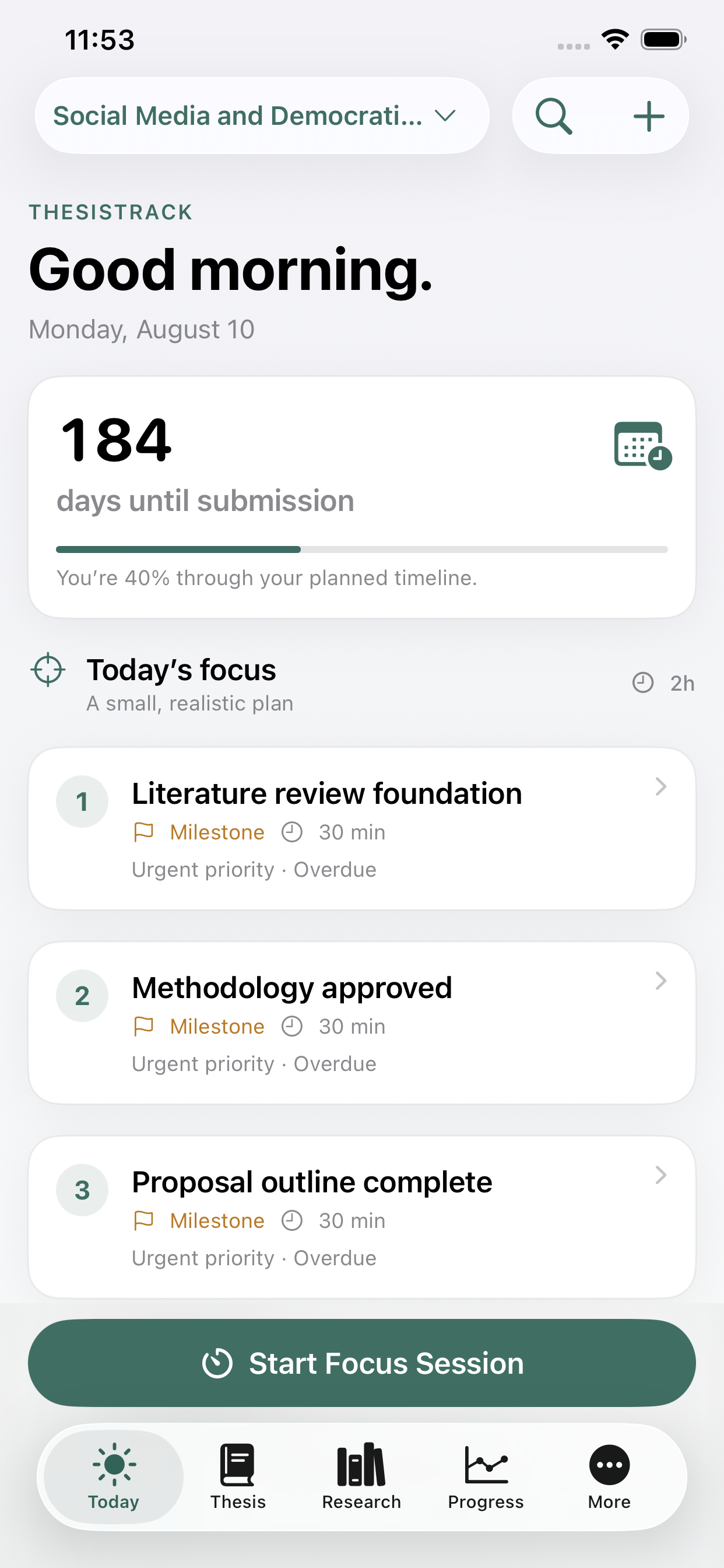
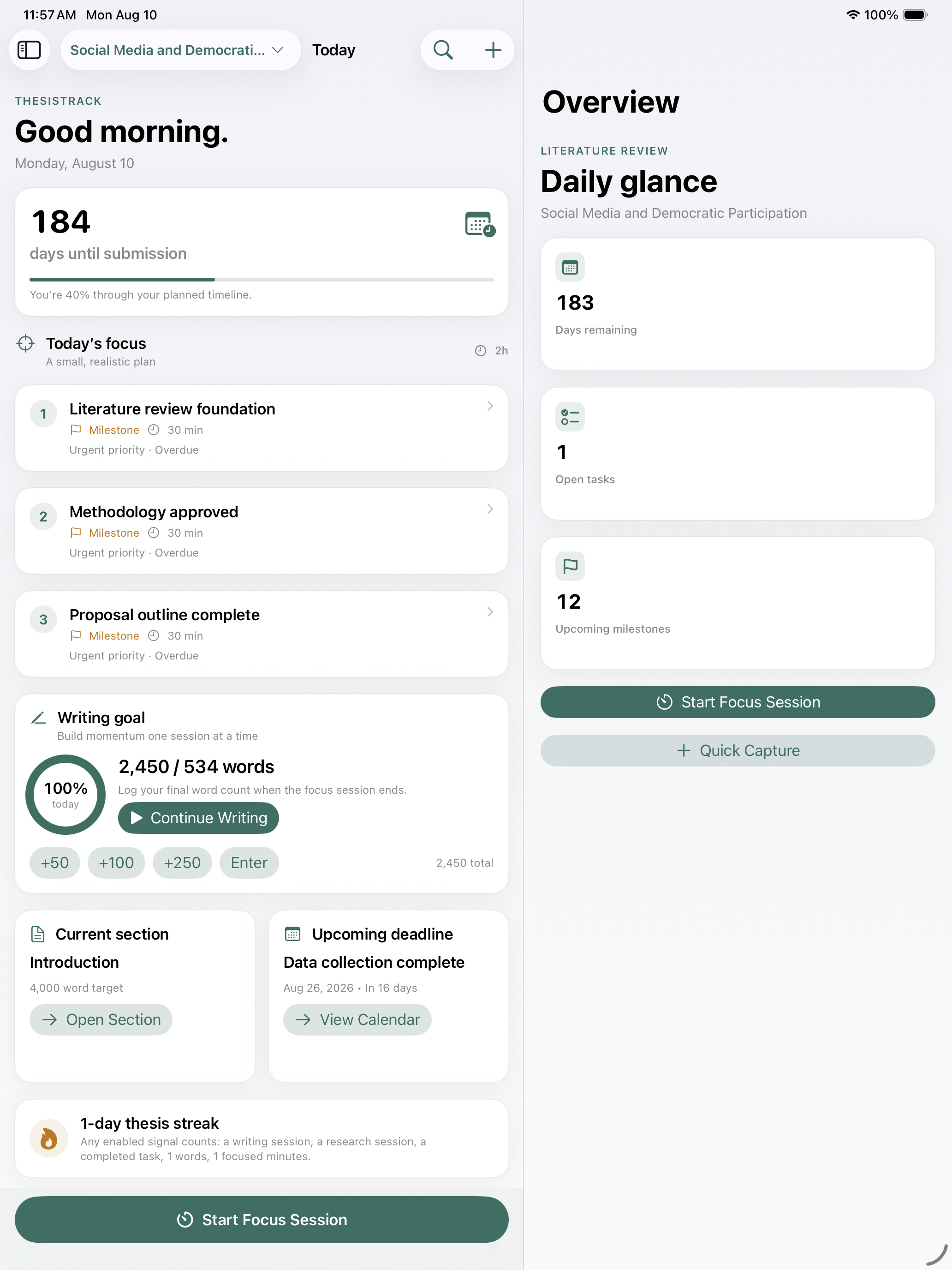
A calm command center turns deadlines, priorities, feedback, and available time into three clear next actions—with a plain-language reason for each one.
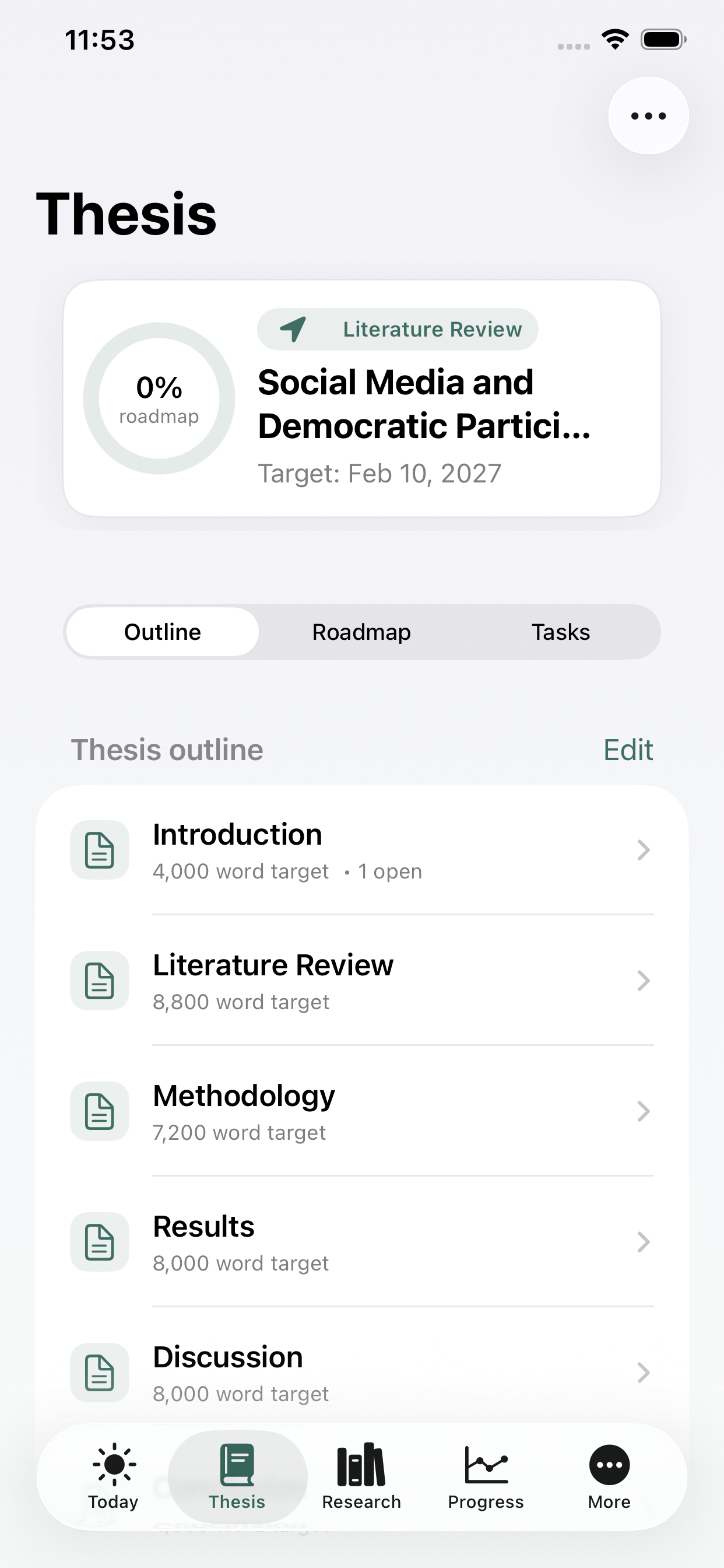
Map sections, milestones, tasks, subtasks, dependencies, word targets, and key dates. Start from an editable discipline template or build your own structure.
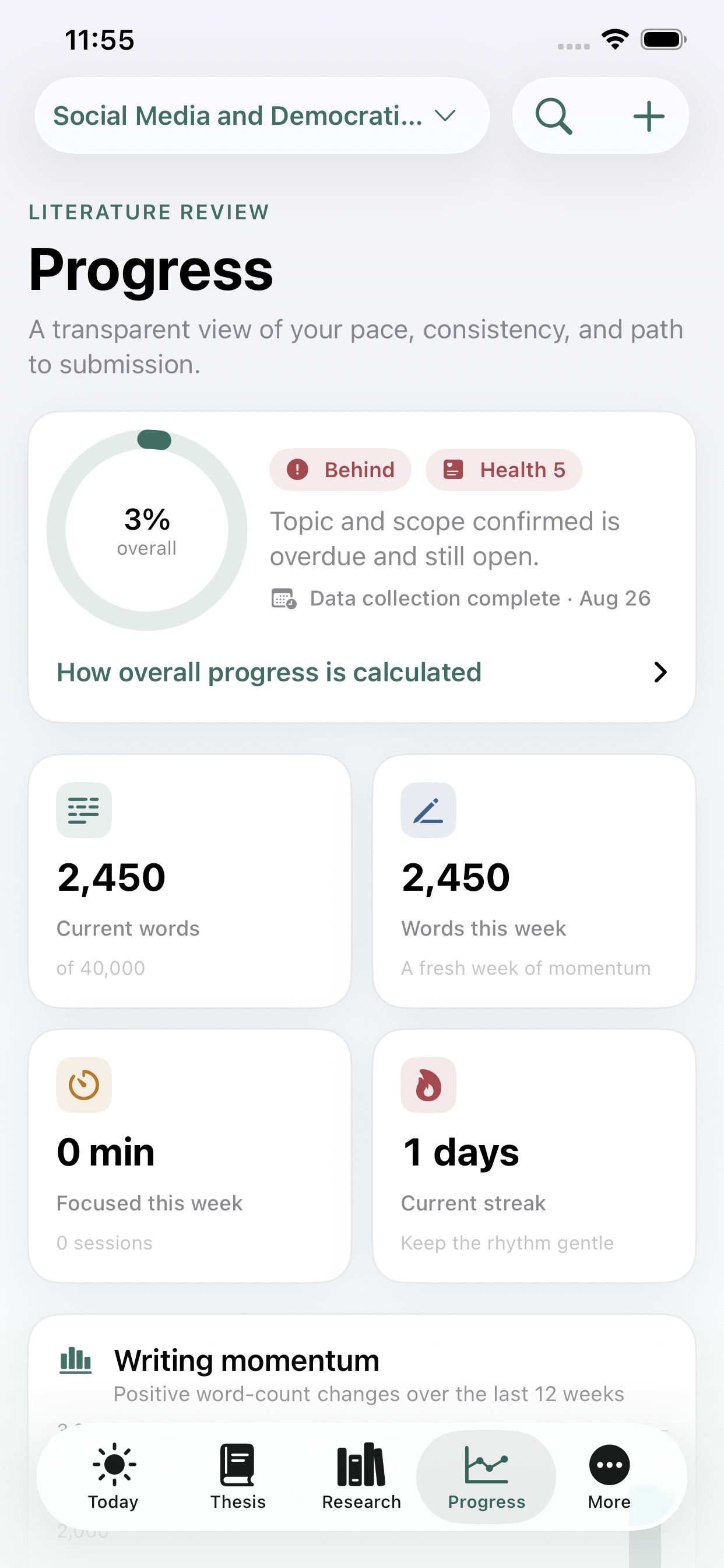
Use focused sessions, quick word logging, goals, streak rules, and section-level progress to make consistent work visible—even on imperfect days.
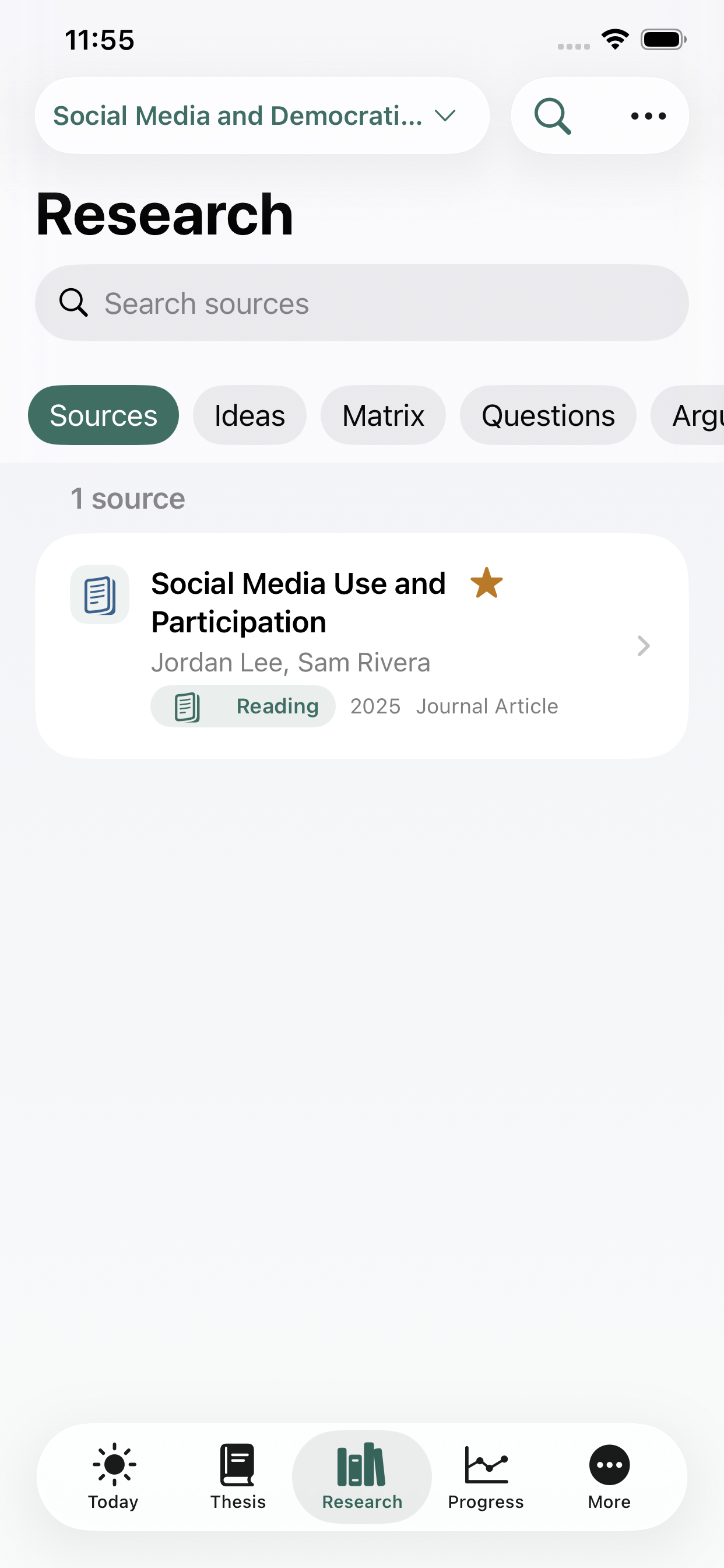
Organize sources, quotes, notes, tags, literature-matrix entries, research-question versions, and evidence links without losing the thread of your own thinking.
Track feedback, waiting requests, meeting questions, action items, revisions, and follow-ups so valuable guidance reliably turns into finished work.
Understand pace, forecast, thesis health, and deadline risk with transparent calculations—then move into defense prep and a customizable final checklist.
ThesisTrack keeps dense project information readable and actionable, with thoughtful iPhone navigation and a true multi-column iPad experience.
Shape the project around your real dates, sections, and weekly availability.
→Start the most useful next action and protect a block of attention.
→Save words, sources, ideas, feedback, and decisions while they are fresh.
→See what changed, adjust the plan, and carry momentum into the next week.
→Prepare the defense, clear the submission checklist, and export your record.
→Detailed enough for the complexity of graduate research, yet focused enough to answer the question that matters most: what should I do next?
No advertising profile. No third-party analytics. No mandatory account. No company backend collecting your thesis. ThesisTrack is designed to work locally and use only your private iCloud database when sync is available.
Works with your workflowThesisTrack connects without taking over.
iCloudCalendarRemindersWidgetsShare SheetApp IntentsGraduate students completing a thesis, dissertation, capstone, or other long-form research project—especially anyone coordinating writing, sources, supervision, and deadlines at once.
No. ThesisTrack helps you plan, focus, and see progress while launching the documents where you actually write. It complements tools like Word, Pages, Google Docs, and LaTeX.
It is a fully populated fictional thesis you can explore before entering your own work. It uses the same features as a real project and can be deleted in one action without affecting anything else.
Yes. ThesisTrack is account-free and offline-first. Your local work remains available without a connection; private iCloud sync can resume when your Apple account is available.
Yes. Export readable Markdown, category CSV, complete JSON, PDF progress reports, or a full ThesisTrack backup with attachments and checksums.
Yes. ThesisTrack is designed for both iPhone and iPad, with true multi-column layouts that make better use of a larger screen.
Email [email protected] for ThesisTrack support. Include your device model, iOS version, and a short description of what happened so we can help efficiently.
Plan the journey, protect your focus, and finish with confidence.