Every accepted quote resolves locally.
Private on-device class notebook · iPhone, iPad, and Mac
Study from the source.Never upload the syllabus.
Vesper turns PDFs, notes, slides, and lectures into a grounded notebook you can run a whole semester on—without sending course material to a cloud model.
- No account required
- On-device AI
- Cited answers only
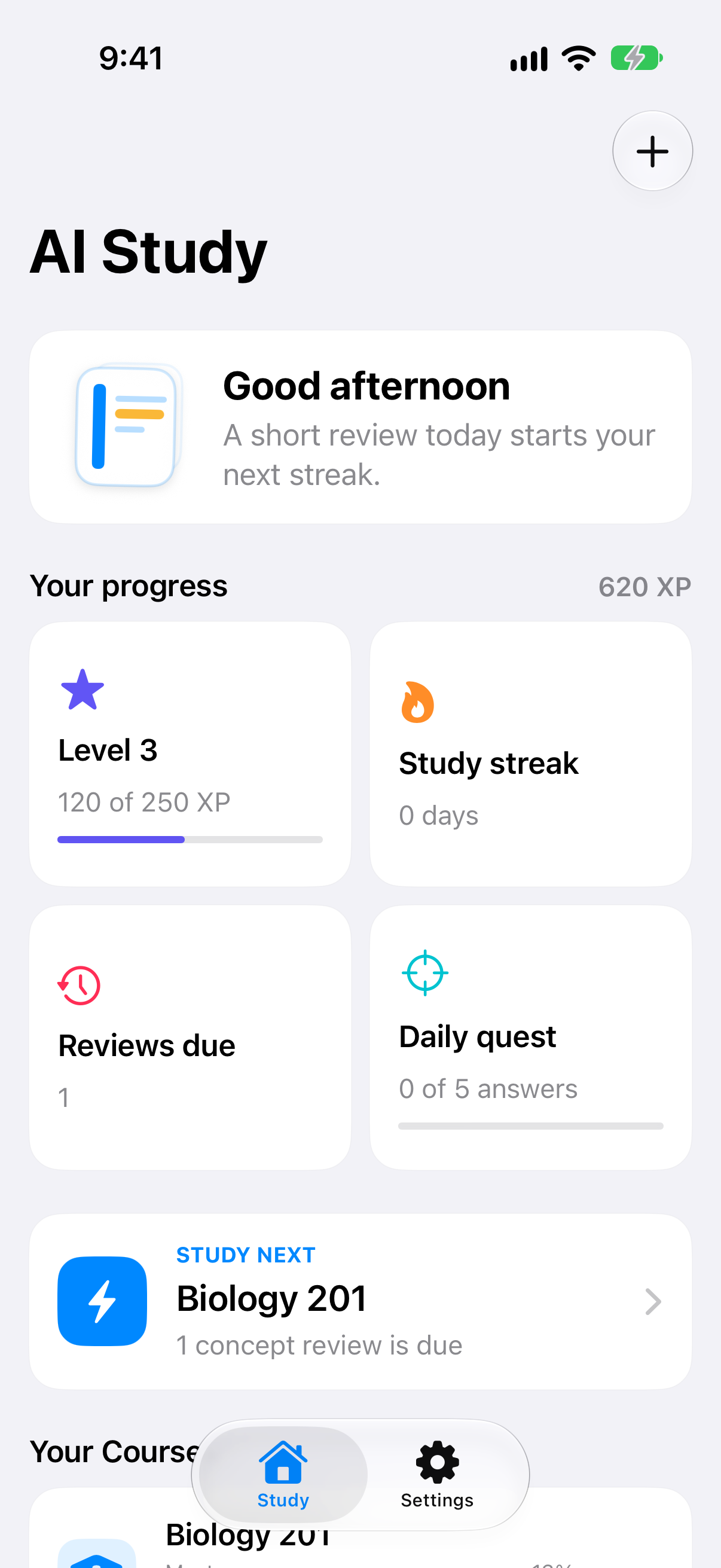
Return to the original PDF or timestamp.
Documents and progress stay on device.
Apple Intelligence runs on device.
Built for courses that cannot go to the cloud
A class notebook you can actually keep private.
Schools are writing AI policies that punish uploading lectures. Vesper is the local alternative: the same job as a source-grounded study assistant, without a Gemini ingest, a Drive grant, or an account.
- No Google account, Canvas OAuth, or required cloud import
- No GGUF or MLX weights inside the iPhone app
- Extractive studio stays free even when Apple Intelligence is off
- Pro meters Ask volume, timed exams, and extra courses—not importing
The actual app
Captured from the iOS simulator.
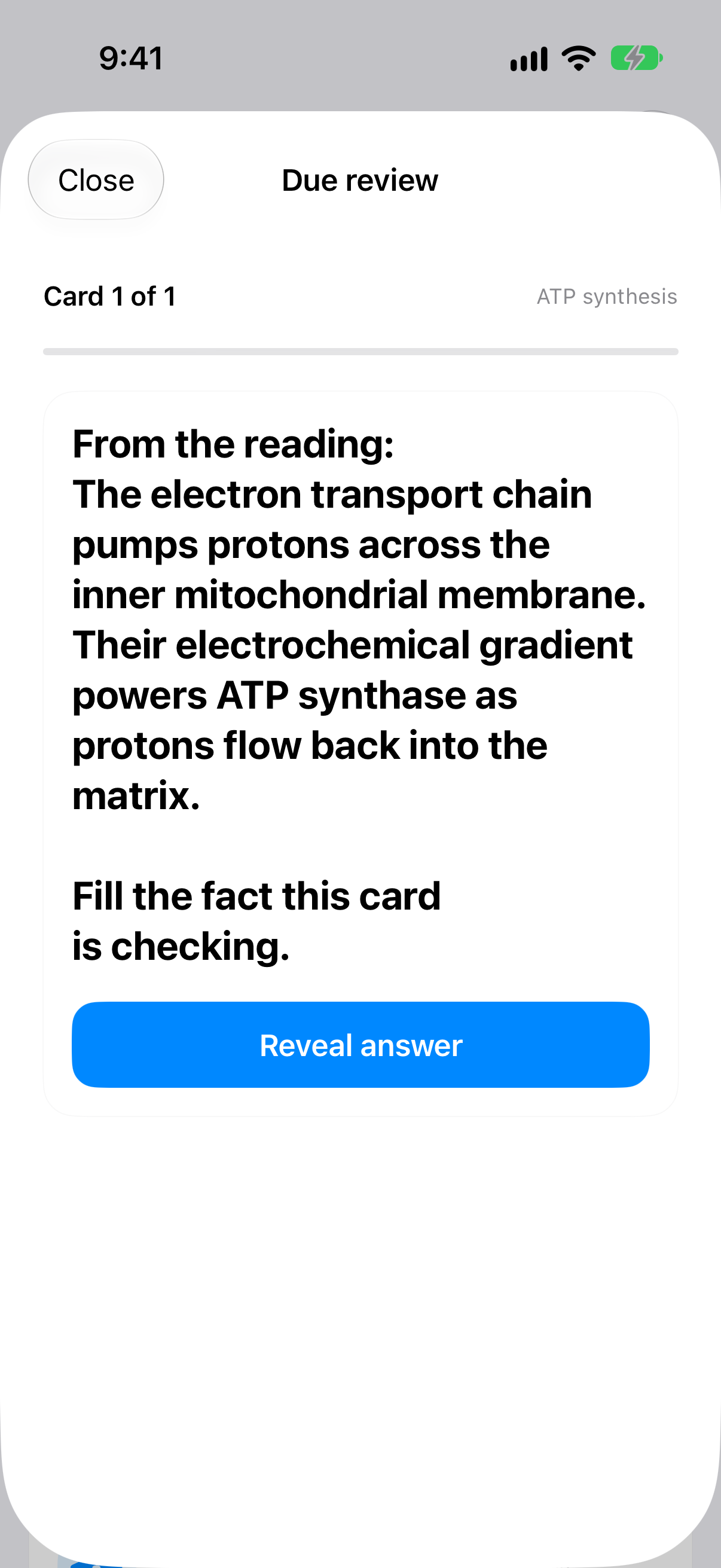
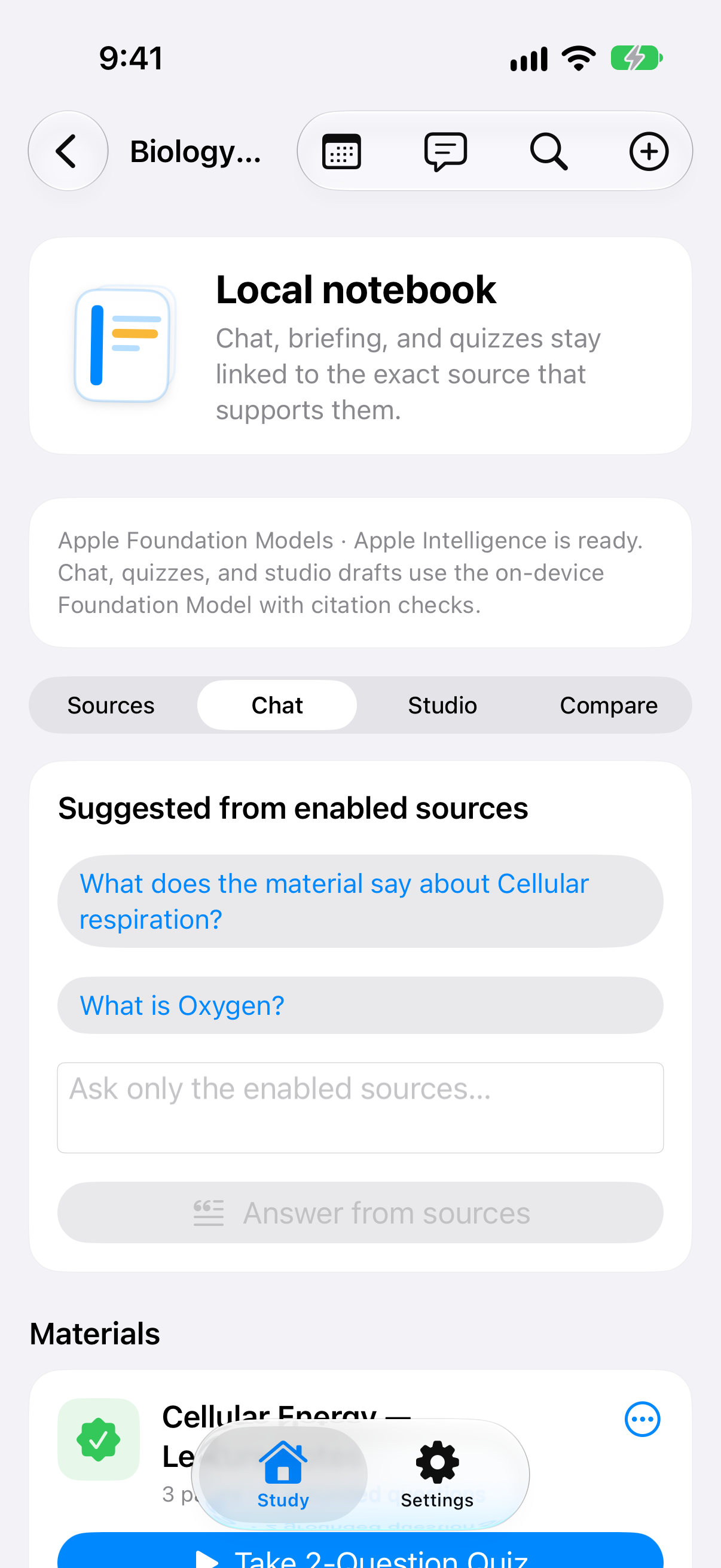
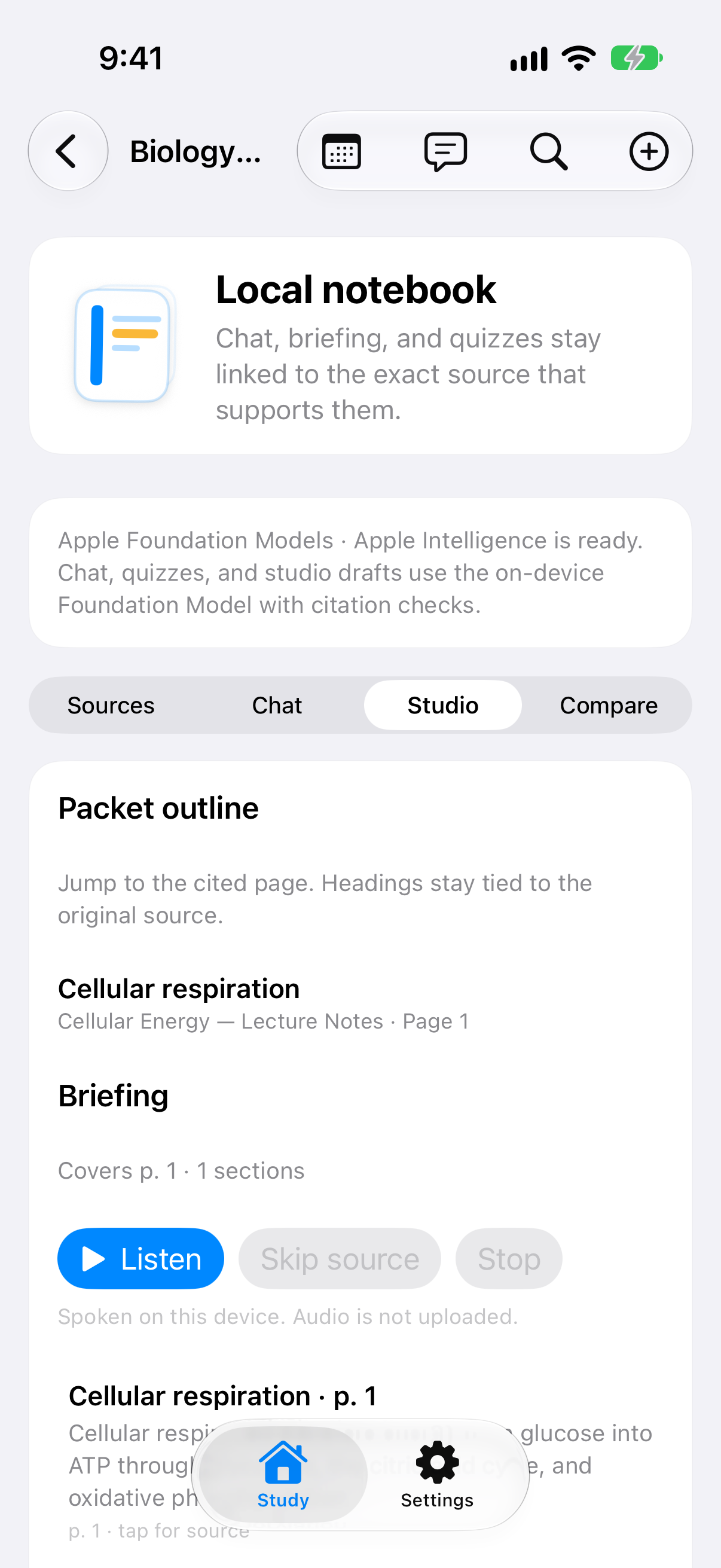
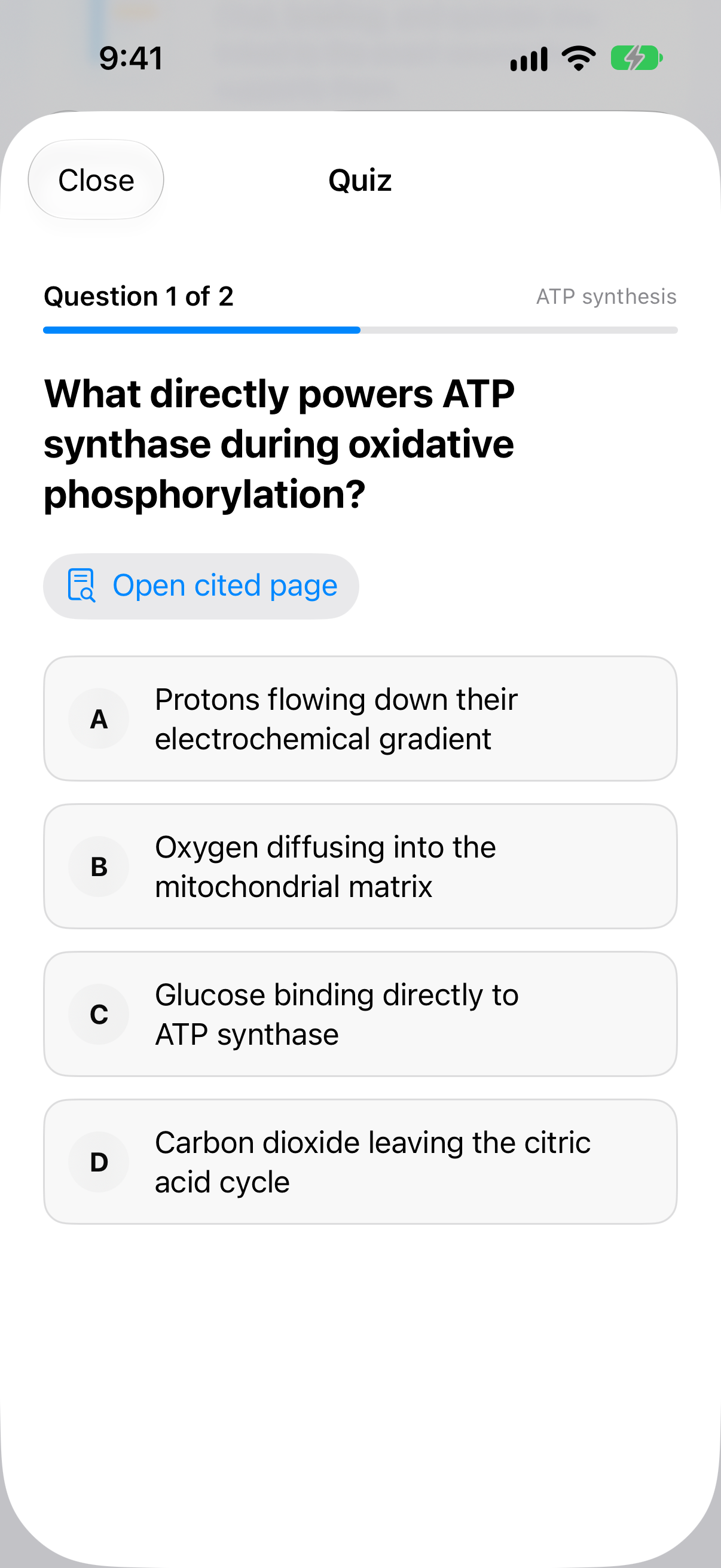
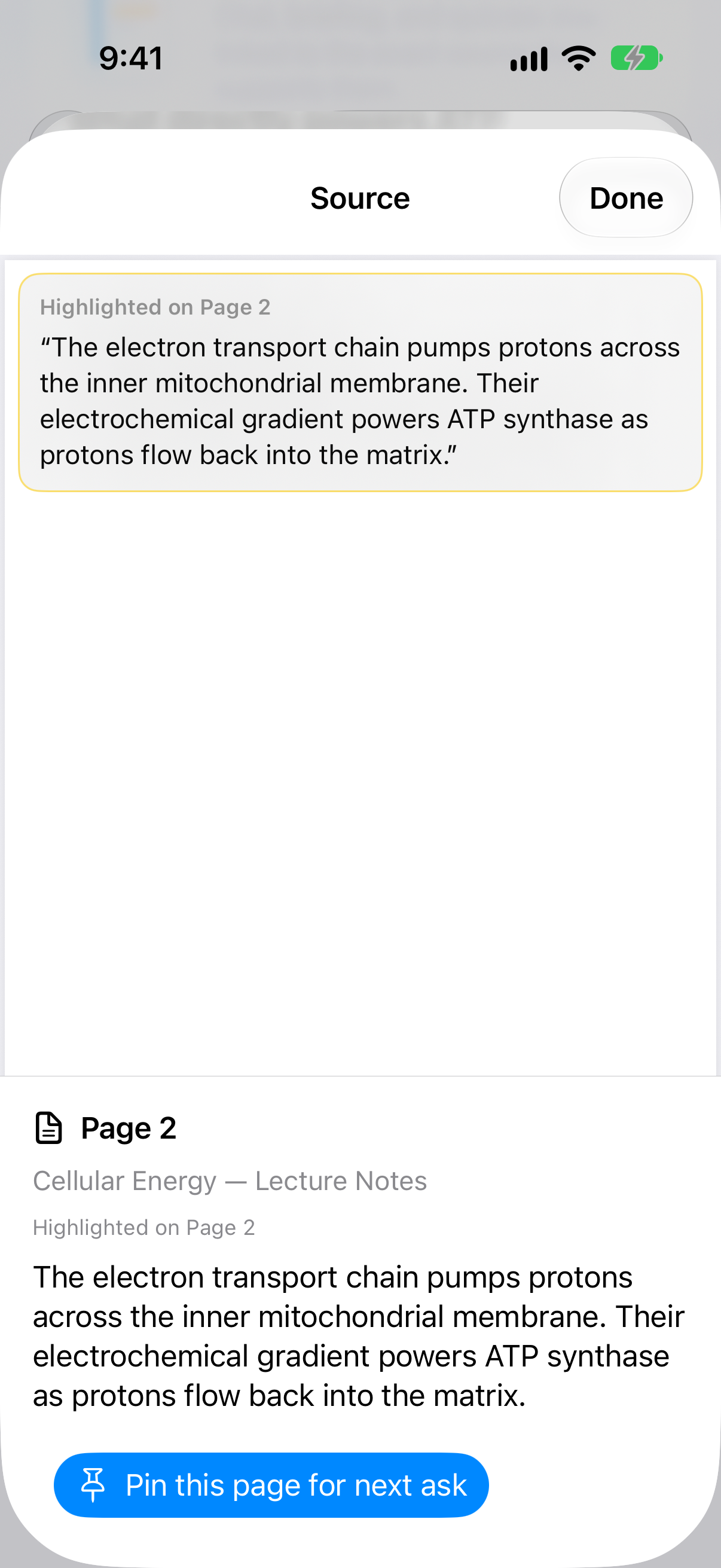
These are live Vesper screens from an iPhone 17 simulator build: home, due review, the local notebook, studio, a grounded quiz, and the cited source page.
One reading is enough to begin
A study loop built around your source material.
From import to tonight’s due session, the path back to the page is never an afterthought.
- 01
Open a course
Each subject is its own private notebook: sources, chat, studio, and review in one place.
- 02
Bring the reading in
Import a PDF, paste notes, photograph slides, or record a lecture. Nothing is uploaded to a study cloud.
- 03
Index on this device
Text is extracted or recognized locally. Audio is transcribed on device. Citations keep the physical page or timestamp.
- 04
Ask, quiz, and review
Generate grounded questions, cloze cards, briefings, and due sessions from the sources you enabled.
- 05
Check the page
Every accepted answer opens the cited PDF page, quote, or transcript moment so you can verify it yourself.
Capture without leaving the phone
PDFs, notes, slides, and lectures in one local course.
Material enters from Files, Share, photos, or the mic. It is processed on this device and deleted with the course when you say so.
PDFs
Unprotected readings up to 200 MB or 2,000 pages, including page-range import and checkpoint resume.
Pasted notes
Lecture notes become searchable, citable sources in the same local course folder.
Slide photos
On-device OCR turns a board or slide photo into text you can quiz from and delete.
Lecture audio
On-device speech recognition. Audio never leaves the phone. Timestamps stay with the transcript.
Grounded quizzes and exams
Build defensible multiple-choice sets from the packets you imported. Timed practice exams score locally and send misses into tomorrow’s weak-topic queue.
Open the source
Accepted questions, cards, and course answers carry a verified quote. Tap through to the original PDF page, note, or lecture timestamp.
More than embedded text
Scanned pages use on-device Vision OCR. On supported iOS 27 devices, Ask can inspect relevant page images for charts and tables—still requiring a matching text quote.
Lecture audio that stays local
Record in class or drop a file. Speech recognition runs on this phone. The transcript is a source you can cite, then delete with the audio.
Search first. Answer second.
Local retrieval finds relevant excerpts before anything is generated. Insufficient evidence produces a refusal, not a padded paragraph.
A studio for the semester
Chat with follow-ups, listen to a cited briefing, outline a packet, compare two sources, export a study-guide PDF or Anki pack—without a cloud account.
Evidence is the boundary
Generated does not mean accepted.
A draft has to earn its place in your question bank. Vesper verifies known evidence identifiers, literal supporting quotes, answer structure, and source resolution before anything is saved.
Question acceptance gate
- Exactly four unique answer choices
- One valid answer and a clear explanation
- Known local evidence identifier
- Supporting quote matches the source text
- No answer leakage or duplicate stem
- Fresh-session validation supplements deterministic checks
If the evidence is ambiguous or insufficient, Vesper rejects the draft or returns fewer questions.
Where you already study
iPad windows, Mac drafts, and a Home Screen due count.
The notebook should show up on the device in front of you—not in a social feed.
iPad split study
Keep the PDF beside chat or cards. Pin a highlighted page for the next ask.
Mac companion
Optional larger local drafts on 16 GB+ Macs. The iPhone binary ships no GGUF or MLX weights. PDFs never upload.
Home Screen widget
A due-count widget and local reminder open today’s review. They never show document text or quotes.
Private by design
Your course stays your course.
Imported files, transcripts, generated study items, answers, mastery, schedules, and widgets are stored on your device. JTR Labs LLC does not receive copies of your readings.
App data can participate in Apple system backups according to your settings. App Store purchases follow Apple’s privacy practices. Support email you send to [email protected] is used only to help you.
No Vesper cloud upload
Course material is not uploaded to servers operated by JTR Labs.
No tracking
No advertising SDKs, third-party analytics, or cross-app tracking.
You control deletion
Remove one source, a whole course, or all app-managed study data.
Protected local storage
Managed files use the iOS app sandbox and file protection.
Simple commercial split
Import stays free. Pro is volume, exams, and extra courses.
Prices below are the intended U.S. App Store amounts. Apple’s purchase screen is the contract for any paid subscription.
Free
Start with one reading
No account. Keep the extractive studio even when Apple Intelligence is off.
- Import PDFs, notes, slides, and lecture audio
- Extractive studio, flashcards, streaks, and mastery
- Review existing material without a cap
- 2 active courses
- 50 newly accepted Apple Intelligence questions / UTC month
Vesper Pro
$7.99 / month
or $49.99 / year · billed through Apple
- Everything in Free
- Unlimited active courses
- Unlimited accepted Apple Intelligence questions
- Ask This Course
- Timed practice exams and weak-topic debriefs
- Advanced guides and adaptive training
Auto-renewable. Cancel in your Apple Account. Existing local courses remain readable if Pro expires. See the Terms of Service.
Questions, answered honestly
Know the limits before you study.
Grounding and validation reduce unsupported output. They do not make AI or OCR infallible.
Does Vesper require an account?
No. There is no Vesper account and no app-managed cloud sync. Progress lives on the device you study on.
Does it work offline?
Core importing, local search, extractive studio, review history, widgets, and supported on-device generation are designed to run without sending course material to a cloud model. App Store purchases, Files downloads from a cloud provider, and some Apple system services can still need a connection.
What can I import?
PDFs up to 200 MB and 2,000 pages, pasted notes, slide photos, and lecture audio. Damaged, empty, password-protected, non-PDF, and copy-restricted files are rejected. Websites and Google Drive ingest are not part of the product.
Is this a NotebookLM clone?
No. Vesper is a private class notebook. It does not upload PDFs to a cloud model, does not require a Google account, and does not ship a two-host audio-overview show. Voice v1 reads the cited briefing with Apple’s on-device synthesizer.
Can it understand charts and diagrams?
On supported iOS 27 devices, Ask This Course can inspect up to two relevant PDF pages as visual context. A factual answer still needs an exact quote from extracted or OCR-recognized text.
What happens without Apple Intelligence?
You can still import sources, search, use extractive studio, review existing material, and run due sessions. New Apple Intelligence generation waits until the device, model, language, and settings are supported. Extractive generation does not consume the paid Ask quota.
What is free, and what is Pro?
Free includes import, extractive studio, flashcards, streaks, mastery, and review of existing material, with two active courses and 50 newly accepted Apple Intelligence questions per UTC month. Pro removes those commercial limits and unlocks Ask This Course, timed exams, extra courses, advanced guides, and adaptive training. Intended U.S. prices are $7.99/month or $49.99/year; the App Store confirmation screen controls the actual price.
Can Vesper still be wrong?
Yes. On-device models and OCR are not infallible. Source links make verification easier. They are not a guarantee of factual correctness or academic results.
What happens when I delete a document?
The app removes its managed file, extracted text, transcript, generated study items, and related local history. Copies already in system backups follow Apple’s backup behavior.

Coming to the App Store
A private notebook for the courses you cannot upload.
Vesper: Private AI Study is published by JTR Labs LLC. Privacy, terms, and support are live here so App Review and students can read the same rules.
iOS & iPadOS 27
Apple Intelligence where supported
English UI at launch